

NOTEThis post is about how I built a gateway VPS using
OPNsense. This article does not cover technical details step-by-step but more about my experience and lessons learned. I hope you find it interesting.
I’ve always had a weird bias about FreeBSD vs Linux for server use.
FreeBSD just feels better, especially the TCP/IP stack.
Linux is great, but FreeBSD networking feels… like Ferrari
Anyway, I have three VPS on the same provider. Two of them are high spec (for me) and already running Linux doing real work. The third one is low spec and basically doing nothing. My provider also supports private virtual IP between VPS instances, so I had a cursed idea:
What if the idle VPS becomes the
gateof everything?
Like a small edge router VPS that handles routing/firewall/VPN/reverse proxy, while the bigger Linux boxes just focus on workloads.
                           (Provider Private Network: 10.20.0.0/16)
        ┌───────────────────────────────────────────────────────────────────┐
        │                                                                   │
        │   [OPNsense VPS] 10.20.0.1                                        │
        │       |                                                           │
        │       |---> [Linux Server 1] 10.20.0.11  ---> (Services)          │
        │       |                                                           │
        │       |---> [Linux Server 2] 10.20.0.12  ---> (Services)          │
        │       |                                                           │
        │       |                                                           │
        │       └── WireGuard: wg0 10.60.0.1/24                             │
        │                    (Tunnel Network: 10.60.0.0/24)                 │
        └───────────────────────────────┬───────────────────────────────────┘
                                        │
                                        │  WireGuard tunnel (10.60.0.0/24)
                                        │
                                wg peer │ 10.60.0.2/24
                              ┌─────────▼─────────┐
                              │   [MikroTik]      │
                              │   LAN GW:         │
                              │   192.168.60.1/24 │
                              └─────────┬─────────┘
                                        │
                                        │ (Homelab LAN: 192.168.60.0/24)
                         ┌──────────────┴────────────────┐
                         │                               │
                 [Proxmox Host]                   [VMs on Proxmox]
               192.168.60.10                      192.168.60.101
                                                  192.168.60.102
                                                  ...
So I went down the FreeBSD firewall rabbit hole.
NOTEMy configuration has another trade-off: this gateway VPS is a single point of failure. If it goes down, everything goes down with it: reverse proxy, VPN, routing, the whole “gate of everything.” In my case, it’s acceptable because this is a homelab setup and I can afford some downtime. But in production, consider high availability (HA) setups.
OPNsense vs pfSense: I picked OPNsense for a lazy reason
I knew about pfSense/OPNsense since my undergrad era, my friend, Ahmad, was comparing router OS performance (pfSense, OpenWrt, etc.) for his thesis while I was benchmarking an Ethereum private network. We published our papers, Ahmad’s paper and my paper here.
Now the funniest part is that I actually needed one of them.
When choosing OPNsense vs pfSense, I went with OPNsense (sorry Ahmad). Either because I did a deep philosophical comparison nor because I’m a firewall guru.
My brain literally went:
OPNsense is a pfSense fork →
okay I’ll use OPNsense.
That’s it. Zero drama.
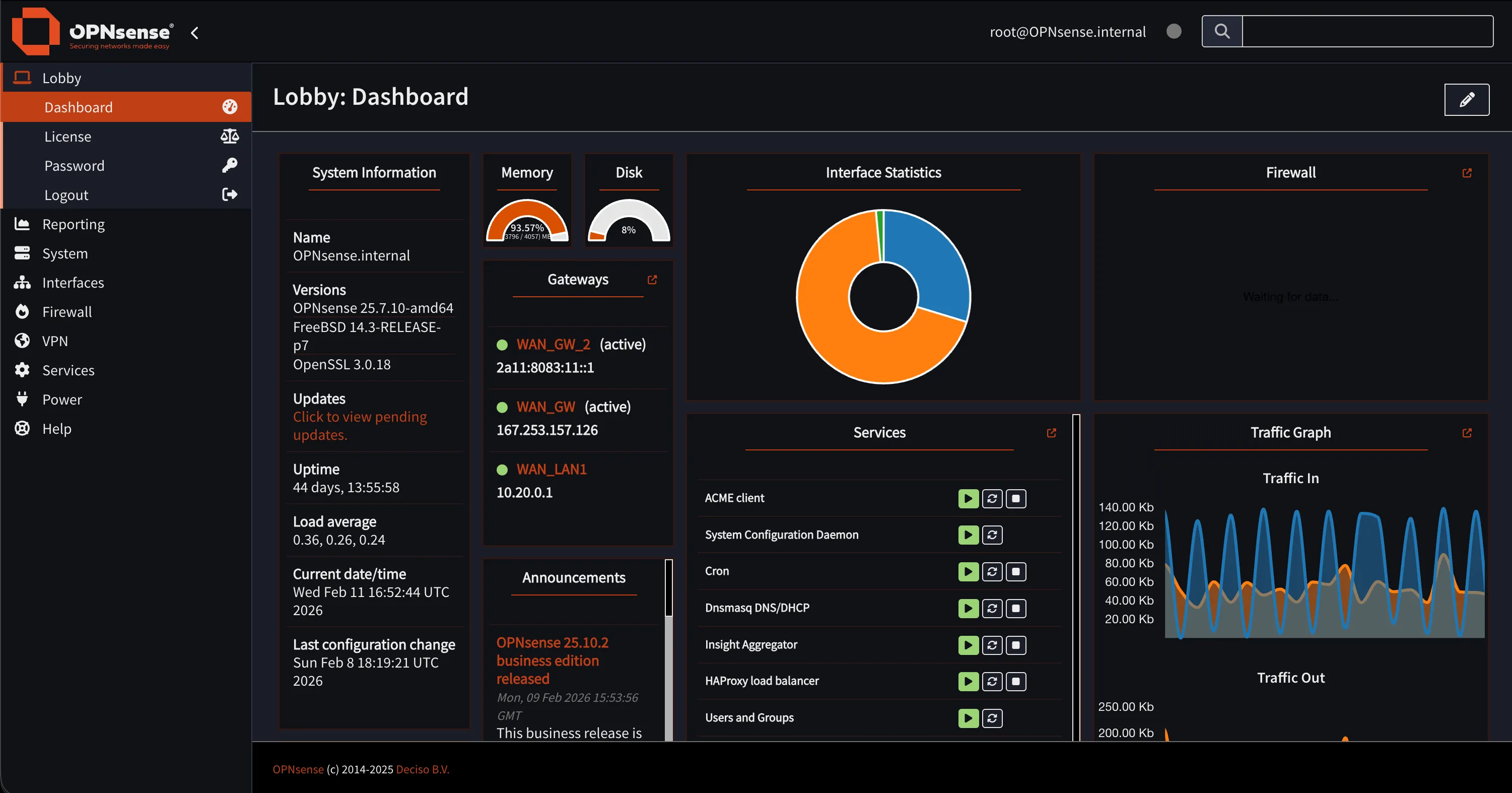
Easy Installation but Harder Access for First Time
OPNsense installation is chill, feels like installing FreeBSD. Then you reboot, you configure interfaces, you feel smart for 3 minutes and then the web UI is not accessible.
I had two NICs. I assigned WAN/LAN. Done. Then I tried to open the Web UI and… nope. I repeating the process a few times, checking IPs, interfaces, everything. Still no access.
At that moment I learned the classic lesson:
OPNsense Web UI is basically
LAN-onlyby default and the firewall is not here to be your friend.
As a newbie, this combo is deadly. Because you can easily lock yourself out and then you start questioning life. Also I tried to just edit the config file like in Linux.
Spoiler: I didn’t even know where the web UI config file was. And even if I found it, I wasn’t confident editing it manually because it’s not that kind of system.
So yeah. First time OPNsense experience: I blocked myself.
My solution was very professional:
pfctl -d→ finish setup in Web UI →pfctl -e
Yes, I temporarily turned off the firewall on a firewall OS, so I could configure the firewall. A peak engineering, but it worked, and after that I could proceed normally and tighten rules properly.
NOTEAlways have console access to your OPNsense box. If you mess up the firewall rules, you can always fix it from the console.
WireGuard: I suffered on FreeBSD… until OPNsense fixed my misunderstanding
Now the fun part: VPN.
I have a MikroTik router in my homelab managing all my internal VMs. Since MikroTik supports WireGuard now, I knew I could tunnel my homelab to the internet somehow. 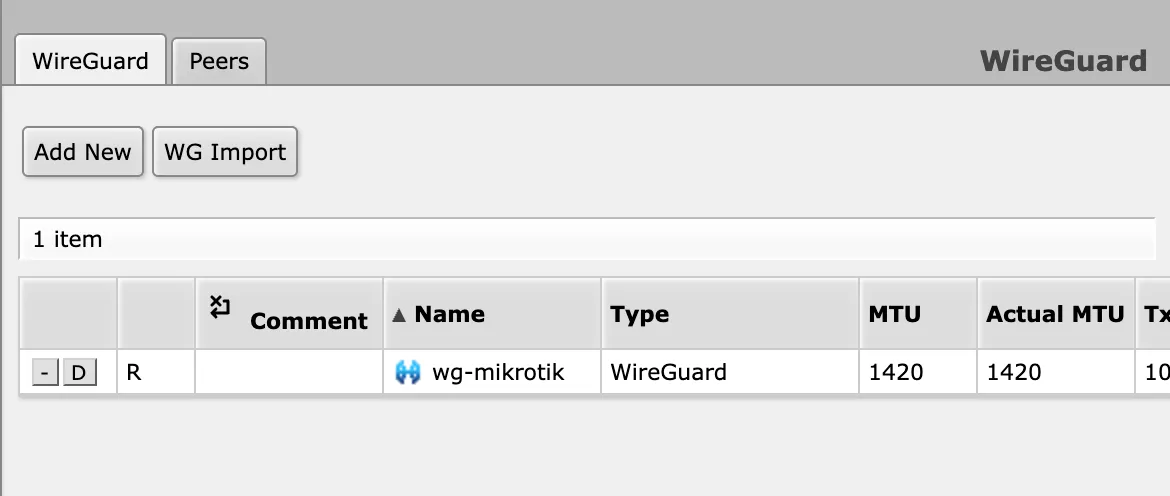 But here’s the thing: for a long time I had a wrong mental model.
I thought WireGuard “server” means you need an extra dedicated server just for tunneling. Like a separate box that only exists to accept connections and forward traffic. That idea alone already felt like more infra, more pain, more Docker.
So I kept avoiding the proper setup and relied on wg-easy because it was simple until I remembered: wg-easy = Docker again. Oh no.. Docker again.
Then I tried WireGuard inside OPNsense and suddenly it clicked:
I don’t need an additional tunneling server. OPNsense is the gateway, so it can be the WireGuard server too.
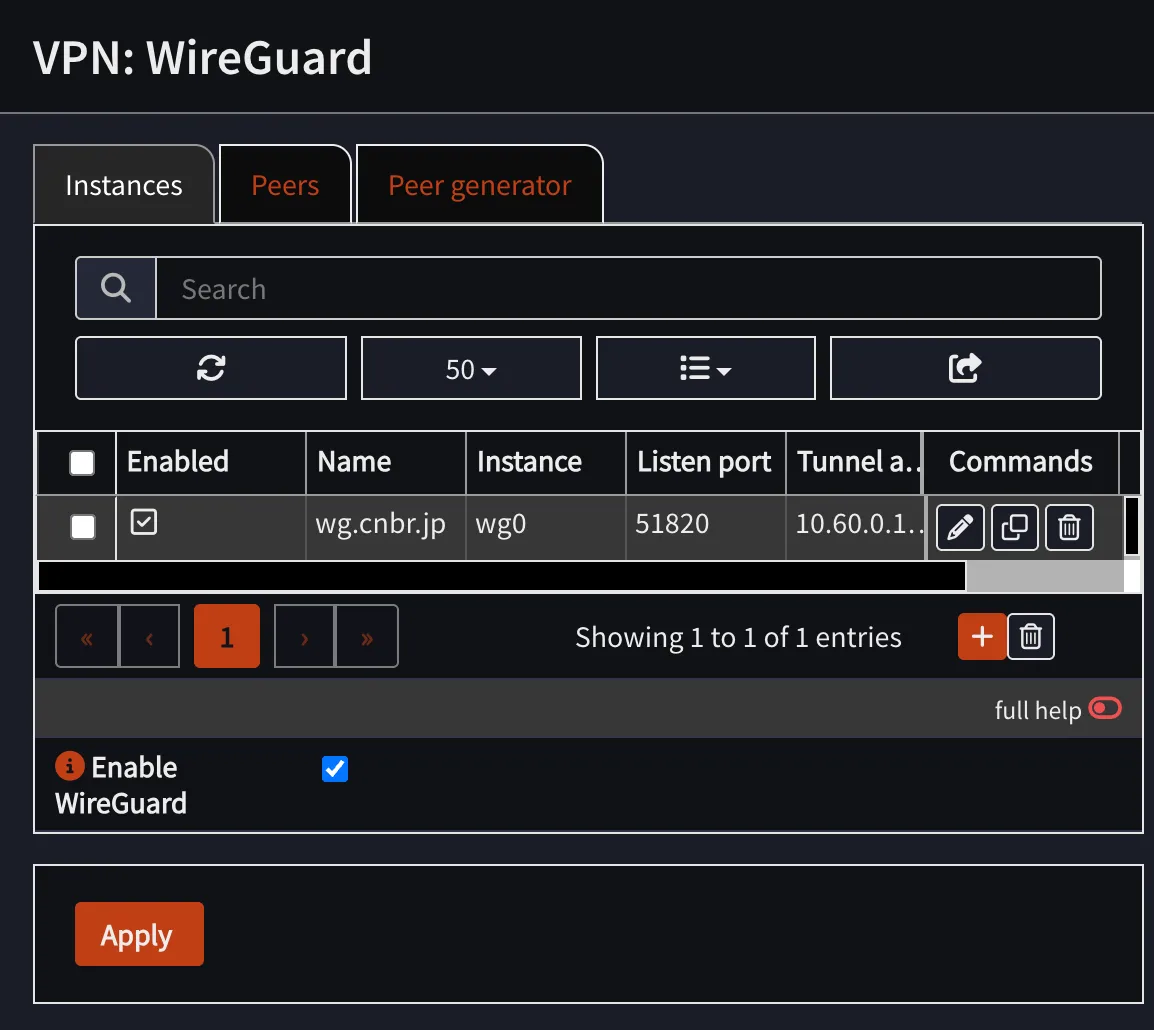
Once I understood the peer concept, everything made way more sense. WireGuard isn’t really “server vs client” the way I used to imagine it, it’s basically peers exchanging keys, and one of them just happens to be the “hub” in my topology. After that, the setup felt weirdly smooth:
- generate keys
- define peers
- set allowed IPs properly
The setup is smooth, but another challenge appeared: peers cannot ping.
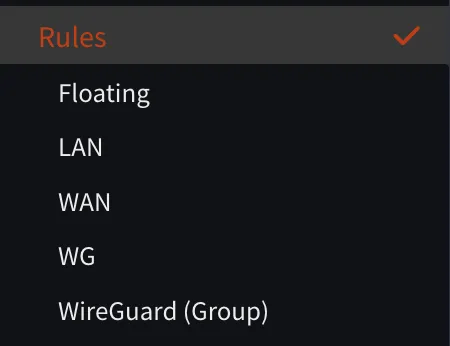
As a noob, I thought that WireGuard (Group) is a rule for the WireGuard interface. But, I was wrong. First you should create interface first, so WireGuard real rules will appear under the correct interface (in my case, WG).
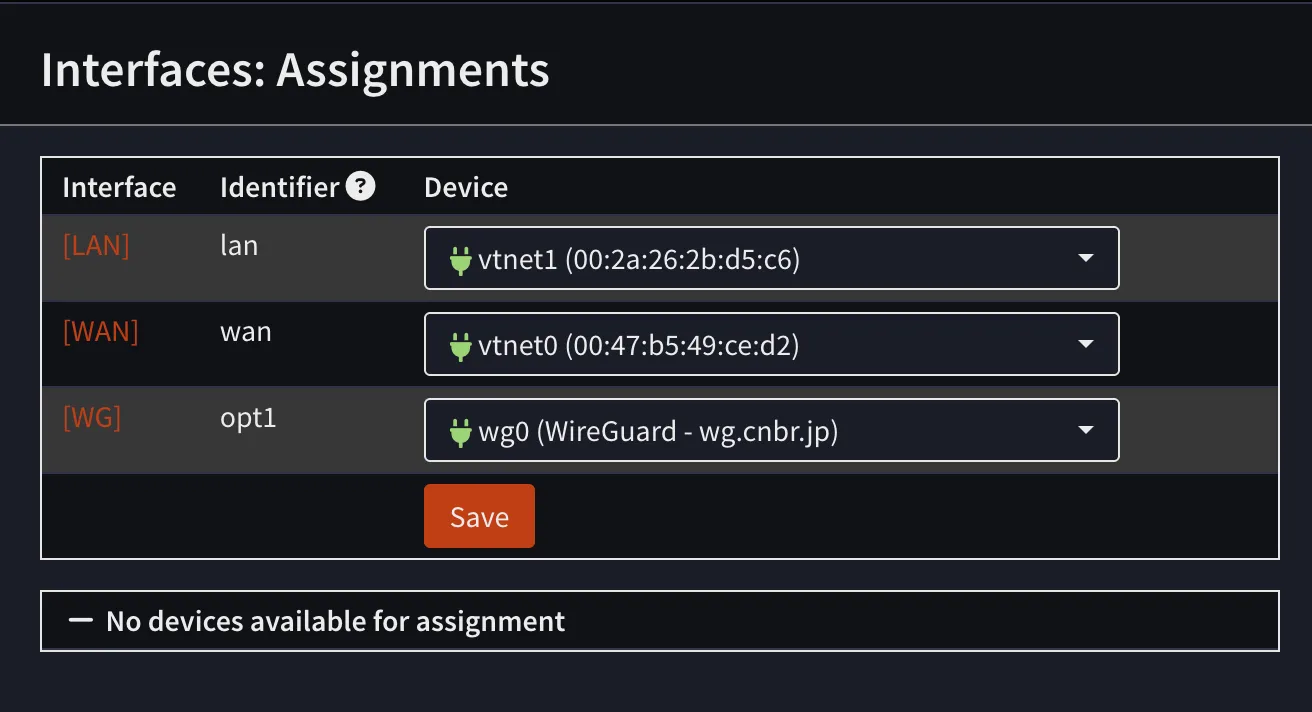
That part confused me for a while, but after I understood it, everything worked fine.
HAProxy: friendship ended with Nginx Proxy Manager
Next, reverse proxy.
Before this, I used Nginx Proxy Manager a lot because it’s easy: click-click-done, certificates, hosts, whatever. But it’s Docker-based and my gateway VPS was supposed to be clean and network-focused.
Then I noticed OPNsense can use HAProxy (and some people also use NGINX). I read a bit and my brain liked HAProxy because:
- It’s very strong for TCP (Layer 4)
- Load balancing feels native to it
- It matches the gateway role better (for me)
NGINX is amazing, but HAProxy felt like:
“I exist to move traffic efficiently.”
So yeah:
Friendship ended with NPM. HAProxy is my best friend now.
…but also the friend that keeps giving you migraines.
Because unlike NPM where you just map domain → IP
Frontends(where traffic enters)Backends(where traffic exits)Backend pools(multiple servers behind a backend)Health checks(because HAProxy refuses to send traffic to something it thinks is dead)
Below here is comparison diagrams of both setups for two services: memo.cnbr.jp (hosted on Linux Server 1) and jellyfin.cnbr.jp (hosted on a VM in my homelab via WireGuard) if I used Nginx Proxy Manager vs HAProxy.
Nginx Proxy Manager

                        ┌─────────────────────────────┐
Internet / Clients ---> │ NPM (Docker) :443 / :80     │
 HTTPS SNI/Host         └──────────────┬──────────────┘
                                       |
                          Proxy Hosts (hostname routing)
                                       |
          +----------------------------+--------------------------------+
          |                                                             |
          v                                                             v
┌───────────────────────┐                                      ┌───────────────────────┐
│ memo.cnbr.jp          │                                      │ jellyfin.cnbr.jp      │
│ Forward to:           │                                      │ Forward to:           │
│ 10.20.0.11:3000       │                                      │ 192.168.60.101:8096   │
│ SSL: ON (Let's Encrypt│                                      │ SSL: ON (Let's Encrypt│
│ Health check: (lol)   │                                      │ Health check: (lol)   │
└───────────────────────┘                                      └───────────────────────┘


========================================================================================

HAProxy

                           ┌──────────────────────────────────┐
Internet / Clients  HTTPS  │ OPNsense HAProxy Frontend :443   │
 SNI/Host routing -------->│ Public Service "https-443"       │
                           └───────────────┬──────────────────┘
                                           |
                                   Rules (ordered)
                                           |
                 +-------------------------+--------------------------+
                 |                                                    |
                 v                                                    v
       Condition: hdr(host)=memo.cnbr.jp                    Condition: hdr(host)=jellyfin.cnbr.jp
                 |                                                    |
                 v                                                    v
        Action: use backend pool "bk_memo"                 Action: use backend pool "bk_jellyfin"
                 |                                                    |
                 v                                                    v
     Backend Pool "bk_memo" (10.20.0.0/16)              Backend Pool "bk_jellyfin" (via WG)
     server: 10.20.0.11:3000  (check?)                  server: 192.168.60.101:8096 (check?)
                 |                                                    |
                 v                                                    v
            (Services)                                           (Jellyfin VM)
And that last part… the health checks… is where my sanity started leaking.
The most evil moment is when everything looks fine, DNS is correct, certificates are okay, your service is running, but your browser says:

At one point, my Jellyfin suddenly wasn’t reachable. And because my setup involves OPNsense + HAProxy + WireGuard + MikroTik + firewall rules, my brain immediately went full paranoia mode:
- “Did I break the WireGuard tunnel?”
- “Is MikroTik routing wrong?”
- “Is OPNsense blocking traffic?”
- “Did I mess up NAT or firewall rules?”
- “Is the private IP path dead?”
- “Is my VPS provider doing something weird?”
So I started checking everything layer by layer like a confused network detective. Then… after way too long… I found the real reason:
HAProxy marked the Jellyfin backend as DOWN not because Jellyfin was dead but because the
health checkfailed.
So HAProxy just refused to forward traffic and gave me 503, even though Jellyfin itself was actually fine. That moment was hilarious because I was debugging WireGuard + MikroTik + firewall like it was a deep network failure and the problem was literally:
“Health check says no.”
Since then I adopted my professional HAProxy workflow
Make the HAProxy route work first, skip health checks at the beginning, then enable health checks later
Conclusion
So yeah, that’s my experience building a gateway VPS with OPNsense. I’m still learning a lot, but so far it’s been fun.
My final setup looks great because it’s cleanly separated:
- OPNsense handles routing, firewall, VPN, and reverse proxy
- Linux servers focus on workloads without worrying about networking
// END